
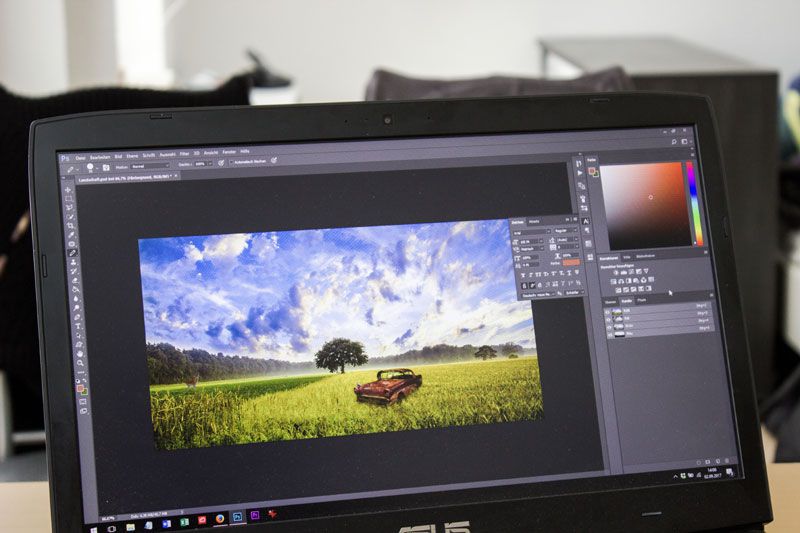
As of 2026, the best free AI image editors online with no sign-up requirements are Magic Hour, Canva AI, Pixlr, Adobe Express, and PhotoRoom. After testing these platforms across creator workflows, marketing tasks, and social content production, I found that Magic Hour offers the best overall balance of speed, editing quality, and workflow flexibility.
AI image editing tools improved dramatically over the past year. Tasks that once required Photoshop skills now take a simple text prompt.
The challenge is finding tools that are actually practical for daily work.
Many platforms still hide useful features behind aggressive paywalls or force users through long onboarding flows before they can even test the product.
This guide focuses on tools that save time and produce reliable results.
Best AI Image Editors at a Glance
| Tool | Best For | Free Plan | No Sign-Up Trial | Starting Price |
| Magic Hour | All-in-one AI creation | Yes | Yes | Free / $15 month |
| DeeVid AI | Prompt-based AI editing | Yes (free starter credits) | No | $14/month |
| Canva AI | Marketing teams | Yes | Limited | $15 month |
| Pixlr | Fast browser editing | Yes | Yes | $1.99 month |
| Adobe Express | Brand-safe workflows | Yes | No | $9.99 month |
| PhotoRoom | Ecommerce product photos | Yes | Yes | $9.99 month |
1. Magic Hour
Magic Hour is the strongest all-around platform I tested for AI image editing and creative workflows.
The platform combines image editing, face swaps, talking photos, image-to-video generation, and lip sync tools inside one fast interface. What impressed me most was how smoothly the workflow moved from one step to another.
The free online AI photo editor handled prompt-based edits surprisingly well, including object replacement, background cleanup, and lighting adjustments.
I also tested the platform’s face swap video online free features. Compared to other tools, Magic Hour delivered more consistent facial alignment during motion scenes.
Another standout feature is how easily users can move into tools like image to video generation or use the platform’s lip sync capabilities without leaving the dashboard.
Pros
- No sign-up required for testing
- Excellent face swap quality
- Fast AI image generation
- Credits never expire
- Strong free tier
- Works well on desktop and mobile
- Multiple AI tools in one platform
Cons
- Advanced workflows may take time to learn
- Free credits can disappear quickly for heavy users
If you want one platform that handles both image editing and AI video workflows, Magic Hour is difficult to beat.
Pricing:
- Free plan available
- Creator: $15/month or $10/month billed annually
- Pro: $39/month
2. DeeVid AI Image Editor
DeeVid AI Image Editor is a strong choice for creators who want fast, prompt-based image editing without complicated software.
The platform handles common editing tasks including object removal, background changes, portrait retouching, image enhancement, and upscaling. You can upload an image and describe the changes you want, making the workflow simple for creators, marketers, and everyday editing tasks.
Pros
- Easy prompt-based editing
- Multiple AI editing tools in one place
- Good object removal and background editing
- Supports image enhancement and upscaling
- Simple browser-based workflow
Cons
- Requires sign-up for free credits
- Free credits are limited
If you want an AI image editor that combines common editing tools with a simple text-prompt workflow, DeeVid AI is one of the strongest options to try.
Pricing:
- 20 free credits for new users
- Lite starts at $14/month or $10/month billed annually
3. Canva AI
Canva AI remains one of the easiest platforms for marketing teams and content creators.
Its AI tools work well for presentations, ads, social graphics, and quick editing tasks.
Pros
- Beginner-friendly interface
- Strong collaboration features
- Excellent templates
- Fast social media workflows
Cons
- AI image quality can feel generic
- Limited advanced editing controls
Canva works best for teams prioritizing speed and collaboration over advanced creative experimentation.
Pricing:
- Free plan available
- Canva Pro starts around $15/month
4. Pixlr
Pixlr is one of the fastest browser-based AI editors available.
It focuses on lightweight editing, background cleanup, and quick enhancements.
Pros
- Fast browser performance
- No heavy hardware requirements
- Easy learning curve
Cons
- Limited advanced AI generation
- Fewer collaboration tools
If you want simple edits without downloading software, Pixlr is still a strong option.
Pricing:
- Free version available
- Premium starts around $1.99/month
5. Adobe Express
Adobe Express targets creators who want simplified AI workflows connected to the Adobe ecosystem.
According to Adobe, Firefly-generated assets are commercially safe for business usage because they are trained on licensed and public domain content.
Pros
- Trusted Adobe ecosystem
- Good templates and branding tools
- Reliable export quality
Cons
- Requires sign-up
- Less flexible for advanced creators
Adobe Express works best for teams already using Adobe products.
Pricing:
- Free tier available
- Premium starts around $9.99/month
6. PhotoRoom
PhotoRoom is built primarily for ecommerce and product photography.
Its background removal tools remain some of the fastest I tested.
Pros
- Excellent background removal
- Strong ecommerce workflows
- Mobile-friendly
Cons
- Narrower use case
- Limited creative storytelling features
If you run an online store or marketplace business, PhotoRoom can save significant editing time.
Pricing:
- Free plan available
- Paid plans start around $9.99/month
How I Chose These Tools
I tested these AI image editors across real-world workflows including:
- Social media content creation
- Product photo editing
- Face swap testing
- Prompt-based image editing
- Mobile editing performance
- Export quality and generation speed
I prioritized platforms that produced usable outputs quickly without unnecessary friction.
The best tools consistently balanced:
- Output quality
- Speed
- Ease of use
- Free-tier value
- Workflow flexibility
Final Takeaway
The best AI image editor depends on your workflow.
- Best overall: Magic Hour
- Best for teams: Canva AI
- Best lightweight editor: Pixlr
- Best for ecommerce: PhotoRoom
After testing these platforms, Magic Hour stood out because it combines image editing, face swaps, lip sync, and AI video workflows inside one fast platform.
For creators, marketers, and startup teams who want flexibility without juggling multiple subscriptions, it currently offers the strongest value.
FAQ
What is the best free AI image editor online in 2026?
Magic Hour is one of the strongest options because it combines AI image editing, face swaps, and video generation with a generous free plan.
Which AI image editor is best for marketers?
Canva AI works well for marketing teams because of its templates and collaboration features.
Which AI image editor is best for face swaps?
In my testing, Magic Hour delivered the most consistent face swap quality for both photos and videos.
Do AI image editors work on mobile?
Yes. Most major platforms now support mobile browsers and apps, though features vary between tools.